Hello Everyone,
One day i needed to get to my command prompt to use it for a class homework and noticed that my accessories folder was missing from the start menu. I searched everywhere online to find a solution and it gave me complicated ways for a solution, such as: download a program and then change the folder of that program with everything that is in accessories which could be found in this folder.......and so on.
But as I looked deeper into the problem I figured it out!!!! Somehow the Accessories folder was assigned to be hidden, so you could not see it when you click on the Start Menu button. So to change it follow these steps:
1. Go to:
C:\Users\username\AppData\Roaming\Microsoft\Windows\Start Menu\Programs
2. You should be able to see Accessories there and it would look fuzzy compared to the other folders. Right Click it and select properties.
3. Under Attributes, uncheck Hidden.
4. Click Apply
5. Click Ok
6. Restart Computer
Wednesday, August 11, 2010

Monday, August 2, 2010
Kukuicup Billboard 2
So last week I said that I was so close in making the 1,000 resources and that I had to stop entering resources and change the titles to be more interesting. So this past week Taka and I have completed that task and now I can go on in entering more resources in to the resources form. Maybe this time I will add the goal to be higher again, maybe 1200.
But other than the resources page, Taka and I have been tasked with recreating the resources page and this is what we have come up with as a mockup:
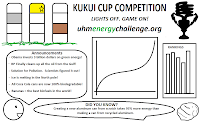
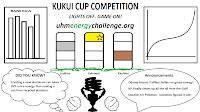
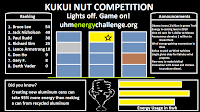
Personally I like this one, because it displays the competition name, logo, and the url.
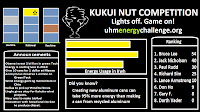
What we based these mockups on could be found here: Billboard Requirements. Also, the project page could be found here: kukuicup-billboard2.
The billboard is going to be the recreation of the kukuicup-billlboard following the mockups above.
This is going to be another great experience because now I get to work more with javascript and html. My past projects that I worked on in Professor Johnson's class is in java, php, Content Management System, and CSS.
Tune in next week to see what me and Taka have created with the billboard.
But other than the resources page, Taka and I have been tasked with recreating the resources page and this is what we have come up with as a mockup:


Personally I like this one, because it displays the competition name, logo, and the url.

What we based these mockups on could be found here: Billboard Requirements. Also, the project page could be found here: kukuicup-billboard2.
The billboard is going to be the recreation of the kukuicup-billlboard following the mockups above.
This is going to be another great experience because now I get to work more with javascript and html. My past projects that I worked on in Professor Johnson's class is in java, php, Content Management System, and CSS.
Tune in next week to see what me and Taka have created with the billboard.
Monday, July 26, 2010
So Close....
Last week I made my goal to make 1,000 resources for the resources page. But that had to be cut short because there were complications with the titles of the resources that were inputted. Some were very general and probably boring to the viewer that is going to see them. So, to make the titles more interesting and grabbing to the viewer, me and our new member to the UH Dorm Competition: Taka is going to go through all the resources and change the titles to be more interesting.
Adding to gathering resources Taka and I are going to recreate the kukuicup-billboard. We are tasked to change the look and the information that is going to be displayed on them. What Taka and I have come up with to work on this project could be found here: Billboard Requirements.
Tune in next week to see what we have done.
Adding to gathering resources Taka and I are going to recreate the kukuicup-billboard. We are tasked to change the look and the information that is going to be displayed on them. What Taka and I have come up with to work on this project could be found here: Billboard Requirements.
Tune in next week to see what we have done.
Tuesday, July 20, 2010
1000 is the goal
Hello everyone,
So for the past few weeks i have been concentrating on the resources page for the website. On average I think I have inputted about 200 resources a week for the past 2-3 weeks. And now we are at 638 resources. But I am going to make this week a goal to hit 1000 resources, which is twice the average that I have been doing. I think I can do it because I have a bunch of videos that I have found but I have to go through them so that I don't input boring videos.
I am hoping to get this done so I can try and get other things done for the project. I have been working on the skins for different universities in the beginning of the summer and that number is not as high. So I am hoping to get the number of skins high also.
I have found a lot of other dorm energy competitions that use Lucid Dashboard for their competitions. It looks really good; however, I hope in the future, through the many improvements that future students will do for this project, other universities will also use this design.
So for the past few weeks i have been concentrating on the resources page for the website. On average I think I have inputted about 200 resources a week for the past 2-3 weeks. And now we are at 638 resources. But I am going to make this week a goal to hit 1000 resources, which is twice the average that I have been doing. I think I can do it because I have a bunch of videos that I have found but I have to go through them so that I don't input boring videos.
I am hoping to get this done so I can try and get other things done for the project. I have been working on the skins for different universities in the beginning of the summer and that number is not as high. So I am hoping to get the number of skins high also.
I have found a lot of other dorm energy competitions that use Lucid Dashboard for their competitions. It looks really good; however, I hope in the future, through the many improvements that future students will do for this project, other universities will also use this design.
Tuesday, July 13, 2010
More Resources
Hello Everyone,
Just like last week, I worked on the resources gathering for the project. Now we are close to 400 resources. I'm not too sure of the statistics of each topic but I am thinking now that I do not have that much videos for the site. So... I need to start looking for more videos. I have a bunch more resources today for Biomass so the count should go up to 450. The hardest thing that I am looking for is Careers in Energy savings.
Just like last week, I worked on the resources gathering for the project. Now we are close to 400 resources. I'm not too sure of the statistics of each topic but I am thinking now that I do not have that much videos for the site. So... I need to start looking for more videos. I have a bunch more resources today for Biomass so the count should go up to 450. The hardest thing that I am looking for is Careers in Energy savings.
Tuesday, July 6, 2010
All Resources
Hello Everyone,
This week, as apposed to last week, I focused on gathering resources for the project. Also, while gathering information I have found new topics that could be used for the project.
Since last week was the finals for the first summer session, I did not enter that much into the form that gathers the resources, however, I did note resources down to put them into the form later. So...there should be a huge boost in the past couple of days in the resources page. And now that I have more free time to work on the project, I will be able to contribute more toward it. I just hope that my contributions so far and in the future will pay off.
This week, as apposed to last week, I focused on gathering resources for the project. Also, while gathering information I have found new topics that could be used for the project.
Since last week was the finals for the first summer session, I did not enter that much into the form that gathers the resources, however, I did note resources down to put them into the form later. So...there should be a huge boost in the past couple of days in the resources page. And now that I have more free time to work on the project, I will be able to contribute more toward it. I just hope that my contributions so far and in the future will pay off.
Tuesday, June 29, 2010
University Skins and Resources
Hello Everyone,
So far this week I tried to balance the creating of skins for other universities to use our project, skins for UH to use, and resources gathering. The RSS feed and the form conversion seems too complicated to work together. But I guess the only way to do it is directly through a spreadsheet because there is no one in blogs asking about a form and import feed conversion. So, I've been putting things manually. If really used, the RSS feeds could be created in a separate page in the project and students could choose certain feeds to look at.
What I worked on this week was skins for different universities. Last week I tried making themes that we could use for different weeks, but the layout doesn't work so well. But What I did mostly for the skins for different universities was to recreate the look of their home pages. You could see the university's home page compared to what I created. The only thing that I could not change yet was the tabs at the top of the page, which are green. Once I figure where the code for those tags are then I will change them right away. But I was told from my group member that he has changed a bunch of things in the layout so I'm not sure what is compatible now with mine and the new one. So hopefully not much things will break.
But here are the following skins that I have worked with so far:
Cambridge University


Harvard


Chamiade


Yale


MIT


HPU


Since this is the last week for the first summer session, I will be able to balance everything more easily and get more work done. So get ready for a lot of input from me.
So far this week I tried to balance the creating of skins for other universities to use our project, skins for UH to use, and resources gathering. The RSS feed and the form conversion seems too complicated to work together. But I guess the only way to do it is directly through a spreadsheet because there is no one in blogs asking about a form and import feed conversion. So, I've been putting things manually. If really used, the RSS feeds could be created in a separate page in the project and students could choose certain feeds to look at.
What I worked on this week was skins for different universities. Last week I tried making themes that we could use for different weeks, but the layout doesn't work so well. But What I did mostly for the skins for different universities was to recreate the look of their home pages. You could see the university's home page compared to what I created. The only thing that I could not change yet was the tabs at the top of the page, which are green. Once I figure where the code for those tags are then I will change them right away. But I was told from my group member that he has changed a bunch of things in the layout so I'm not sure what is compatible now with mine and the new one. So hopefully not much things will break.
But here are the following skins that I have worked with so far:
Cambridge University


Harvard


Chamiade


Yale


MIT


HPU


Since this is the last week for the first summer session, I will be able to balance everything more easily and get more work done. So get ready for a lot of input from me.
Tuesday, June 22, 2010
Hello everyone,
Last post I talked about RSS feeds, which is really a great feature that could be used for gathering information for users to look at for our project. However, the way we set up our google spreadsheet to gather information is through a form. I would really like to use RSS feeds because it is recent postings from others about a topic they advertise, such as news RSS feeds, energy websites RSS feeds, teachers of the university in the sustainability field RSS feeds. Instead of the "project makers" going around and looking for information and manually entering it into the form, I am trying to figure a way for the command importfeed and the form that we enter the information we find to work with each other. Also, if the form gets to a limit, it will delete entries so that it does not get full. Any ideas of getting this to work would be greatly appreciated.
I don't mind looking around for information because it teaches me about things also, but I think that it could be very useful for us not to manually enter information all the time.
Other things that I am doing this week is CSS file for the website. What I have thought of doing is different themes for each type of energy savings, such as solar, wind, geothermal, and hydro. Also, I tried to make a base page that follows the UH Manoa theme. What I have done so far is the following. However, the different themes for each energy savings is tasking because the pictures I try to gather looks odd when displayed on the homepage. It takes up a lot of time to try and make the pictures flow.
This one I tried to follow the main UH Manoa website theme with the symbol on the top left. I added the picture of the 4 different types of energy savings to add a little of what the website is about.

This one I just tried to fool around with looks.

The following is the beginning of the different types energy themes. If you look at the windmill one, it looks a little odd. Not with just these two pictures but other pictures that i experimented with also. I chose to display this one because it looked the best of the others.

The solar theme i was going to have the sun and a solar panel, but like I said it doesn't look that great. So I tried doing it like this and I think it came out better, but I still want something like the sun and solar panel.

So far I think the themes look a lot basic, but I want the themes to work with the website. I am not a great visual graphic person but if there are any other ways that could help me would be really really appreciated because the things I did so far looks a bit funny. Themeroller was the first thing I used but it only puts color in tabs and changes fonts. The page still looks plain. That is why i am putting pictures in the site, but that comes out weird also. So again any help would be appreciated.
Last post I talked about RSS feeds, which is really a great feature that could be used for gathering information for users to look at for our project. However, the way we set up our google spreadsheet to gather information is through a form. I would really like to use RSS feeds because it is recent postings from others about a topic they advertise, such as news RSS feeds, energy websites RSS feeds, teachers of the university in the sustainability field RSS feeds. Instead of the "project makers" going around and looking for information and manually entering it into the form, I am trying to figure a way for the command importfeed and the form that we enter the information we find to work with each other. Also, if the form gets to a limit, it will delete entries so that it does not get full. Any ideas of getting this to work would be greatly appreciated.
I don't mind looking around for information because it teaches me about things also, but I think that it could be very useful for us not to manually enter information all the time.
Other things that I am doing this week is CSS file for the website. What I have thought of doing is different themes for each type of energy savings, such as solar, wind, geothermal, and hydro. Also, I tried to make a base page that follows the UH Manoa theme. What I have done so far is the following. However, the different themes for each energy savings is tasking because the pictures I try to gather looks odd when displayed on the homepage. It takes up a lot of time to try and make the pictures flow.
This one I tried to follow the main UH Manoa website theme with the symbol on the top left. I added the picture of the 4 different types of energy savings to add a little of what the website is about.

This one I just tried to fool around with looks.

The following is the beginning of the different types energy themes. If you look at the windmill one, it looks a little odd. Not with just these two pictures but other pictures that i experimented with also. I chose to display this one because it looked the best of the others.

The solar theme i was going to have the sun and a solar panel, but like I said it doesn't look that great. So I tried doing it like this and I think it came out better, but I still want something like the sun and solar panel.

So far I think the themes look a lot basic, but I want the themes to work with the website. I am not a great visual graphic person but if there are any other ways that could help me would be really really appreciated because the things I did so far looks a bit funny. Themeroller was the first thing I used but it only puts color in tabs and changes fonts. The page still looks plain. That is why i am putting pictures in the site, but that comes out weird also. So again any help would be appreciated.
Tuesday, June 15, 2010
Energy Resources & Configuring Themeroller
Hello everyone,
Last post I talked about a great feature that I found is using RSS feeds with Google Spreadsheets, how to do this could be found here. This is such a great feature because what we need for our project is many resources about energy saving. And what RSS feeds in Google Spreadsheets does is gather that information and display it. However, one difference in the gathering is that what is imported to the sheets is not permanently saved. The command =importfeed(url,, T/F - Display the headers of what is gathered. Title, url, summary..., # of entries you want to gather from the feed.) will gather what you want from the feed and update itself every time a new entry is entered in to the feed.
Other things that I have gathered for the project that does not have an automatic gather, which I wish it did..., is videos and other information such as websites, articles, and news entries. These resources can be permanently saved, however it is so much pain in the butt because it is done manually. But through the gathering process I did learn a lot of things myself that I did not know of.
TED is one of the great websites that I stumbled over about today's technology, issues, and energy topics. Information on this website could really educate a person on what is going on in today's technology, issues, and learning. One great topic was a boy named William Kamkwamba who was 14 years old and read a BOOK about windmills at a library. He later then went back to his village and built a windmill out of a bicycle and wood.
The next thing that I believe that would be great for our project is podcasts. All the information gathering that I gathered, whether it be RSS feeds, videos, and websites, I always saw a podcast feature also. A podcast is a series of digital media files that are released episodically and downloaded, and could be listened to via a computer or a ipod. For the competition this could be used by the students or whoever is on the website to listen to the podcast that talks about how solar energy works or how to make a solar panel.
The last thing that I worked for this week was themeroller. I am designated to make different themes that pertain to the different universities in the US so they could use our website for their university if they choose to do so. I have made a couple of themes that I believe closely match the university, however, I am unable to run it with the website as of right now so I cannot really tell if it is close or not. I have to speak with my group member George to get it going.
Last post I talked about a great feature that I found is using RSS feeds with Google Spreadsheets, how to do this could be found here. This is such a great feature because what we need for our project is many resources about energy saving. And what RSS feeds in Google Spreadsheets does is gather that information and display it. However, one difference in the gathering is that what is imported to the sheets is not permanently saved. The command =importfeed(url,
Other things that I have gathered for the project that does not have an automatic gather, which I wish it did..., is videos and other information such as websites, articles, and news entries. These resources can be permanently saved, however it is so much pain in the butt because it is done manually. But through the gathering process I did learn a lot of things myself that I did not know of.
TED is one of the great websites that I stumbled over about today's technology, issues, and
The next thing that I believe that would be great for our project is podcasts. All the information gathering that I gathered, whether it be RSS feeds, videos, and websites, I always saw a podcast feature also. A podcast is a series of digital media files that are released episodically and downloaded, and could be listened to via a computer or a ipod. For the competition this could be used by the students or whoever is on the website to listen to the podcast that talks about how solar energy works or how to make a solar panel.
The last thing that I worked for this week was themeroller. I am designated to make different themes that pertain to the different universities in the US so they could use our website for their university if they choose to do so. I have made a couple of themes that I believe closely match the university, however, I am unable to run it with the website as of right now so I cannot really tell if it is close or not. I have to speak with my group member George to get it going.
Tuesday, June 8, 2010
Resource Gathering and Themerolling
Hello everyone,
So far I have learned about CSS and my newly bit complicated project, pinax. After having a good talk with my professor, I now know that I have to get down and dirty to learn, acquire and use software that is available out there. So right now I am still working with CSS for the project to have different themes for different universities to use our website if they choose to do so. The following slide show is some of the university websites that I will follow.


What I am also doing is researching for many resources about Energy Savings. May it be video, websites, papers etc. One great resource that I am looking at to automatically update itself is RSS Feeds. There are may RSS feeds out there that people post to, just like a blog, that contain different materials, such as Energy Savings.
To contain the many RSS Feeds I am using Google Docs. There is a great feature in Google Docs that can gather RSS Feeds via its spreadsheets. The feature could be found here.

It is an amazing feature. This feature will update itself because it imports the feeds directly from the url that is specified in the import command. It could also retrieve the feed, feed title, feed author, feed description, feed url, items, items title, items author, items summary, items url, and items created.
The only thing I need to do is organize this information in a way that could be retrieved for the project.
Other things that I am doing is manually searching for other Energy Resources. This is done manually but should be able to be done in a couple of days.
So far I have learned about CSS and my newly bit complicated project, pinax. After having a good talk with my professor, I now know that I have to get down and dirty to learn, acquire and use software that is available out there. So right now I am still working with CSS for the project to have different themes for different universities to use our website if they choose to do so. The following slide show is some of the university websites that I will follow.
What I am also doing is researching for many resources about Energy Savings. May it be video, websites, papers etc. One great resource that I am looking at to automatically update itself is RSS Feeds. There are may RSS feeds out there that people post to, just like a blog, that contain different materials, such as Energy Savings.
To contain the many RSS Feeds I am using Google Docs. There is a great feature in Google Docs that can gather RSS Feeds via its spreadsheets. The feature could be found here.

It is an amazing feature. This feature will update itself because it imports the feeds directly from the url that is specified in the import command. It could also retrieve the feed, feed title, feed author, feed description, feed url, items, items title, items author, items summary, items url, and items created.
The only thing I need to do is organize this information in a way that could be retrieved for the project.
Other things that I am doing is manually searching for other Energy Resources. This is done manually but should be able to be done in a couple of days.
Wednesday, June 2, 2010
CSS Learning and Python and Pinax installation
Hello all,
I'm back again to show and talk about what I am going to do over the summer in my Independent Studies 499 class for the UH Dorm Energy Competition. Yes I am still working on it, but I am going to be in a different part of the project. So... no more Joomla!
However, this is not the only class that I am taking, which I wish I was so I don't have to stress... I am taking English 200 which should not be much of a problem and I am also taking Japanese 102 which I don't remember much because I took Japanese about 2 years ago SO..... remembering everything is the challenge. Ganbarimasu!!!!!
I will not bore you with Japanese and English because that is not where the cool technological stuff is. haha. So what is Pinax, Python, CSS!!!
First off I am now working with a new person: George Lee. He is the leader and main project manager for the UH Dorm Energy Competition Pinax Website. I am working under him to create CSS to brighten up the website and make it look good. What he is doing is the structure of the website.
So... so far I have been trying to learn CSS and install the Pinax website. The CSS for the website so far looks like this. I will be creating more of these in the future. I will also be using JQuery which will allow others to easily choose a type of theme/CSS for the website. Installation so far of the website has given me trouble. The trouble so far I have found is the execution of x64 and x86 executables. I downloaded Python 2.6 (x64) and it runs perfectly. Then I need the Python Imaging Library which only has x86 and is the one that gives me problems. It may sound dumb in how I did not see something as easy as that but the error I saw is: Cannot find Python 2.6 in registry. But by using regedit, I found that Python 2.6 is there!!! And by looking around for a long time I found this post. It will download the correct PIL for 64 bit machines and run perfectly.
The next wall I have run into now is the installation of Pinax. I now have the error ValueError: [u'path'] and 0.7.2 failed with error code 1.
The other bad thing I have run into is that I forgot to meet with my group yesterday!!! It completely slipped my mind. I think it was the Monday holiday. So I hope my professor is not too mad and I want to get this Pinax running so I can get on to working on the project.
I'm back again to show and talk about what I am going to do over the summer in my Independent Studies 499 class for the UH Dorm Energy Competition. Yes I am still working on it, but I am going to be in a different part of the project. So... no more Joomla!
However, this is not the only class that I am taking, which I wish I was so I don't have to stress... I am taking English 200 which should not be much of a problem and I am also taking Japanese 102 which I don't remember much because I took Japanese about 2 years ago SO..... remembering everything is the challenge. Ganbarimasu!!!!!
I will not bore you with Japanese and English because that is not where the cool technological stuff is. haha. So what is Pinax, Python, CSS!!!
First off I am now working with a new person: George Lee. He is the leader and main project manager for the UH Dorm Energy Competition Pinax Website. I am working under him to create CSS to brighten up the website and make it look good. What he is doing is the structure of the website.
So... so far I have been trying to learn CSS and install the Pinax website. The CSS for the website so far looks like this. I will be creating more of these in the future. I will also be using JQuery which will allow others to easily choose a type of theme/CSS for the website. Installation so far of the website has given me trouble. The trouble so far I have found is the execution of x64 and x86 executables. I downloaded Python 2.6 (x64) and it runs perfectly. Then I need the Python Imaging Library which only has x86 and is the one that gives me problems. It may sound dumb in how I did not see something as easy as that but the error I saw is: Cannot find Python 2.6 in registry. But by using regedit, I found that Python 2.6 is there!!! And by looking around for a long time I found this post. It will download the correct PIL for 64 bit machines and run perfectly.
The next wall I have run into now is the installation of Pinax. I now have the error ValueError: [u'path'] and 0.7.2 failed with error code 1.
The other bad thing I have run into is that I forgot to meet with my group yesterday!!! It completely slipped my mind. I think it was the Monday holiday. So I hope my professor is not too mad and I want to get this Pinax running so I can get on to working on the project.
Tuesday, May 11, 2010
Milestone 4
It has finally come to an end and we have actually almost finished a working website which hopefully our professor will keep working with...
Joomla! is a great CMS. I think for a first time website creator, Joomla is the best and easiest way to work with. In the beginning, I worked with SilverStripe, which is also a great CMS, but I think because there is no standardization within SilverStripe there are a lot of complications. One being
tinyMCE which filters out html code when inputted by the user. That fix could be found here. And switching between themes, which makes code that did work not work.
But anyway, what my group and I made so far could be found here. And this is what the main page looks like.

For participants in the competition to log in they will login through the UH CAS login system. Then it will display their own file and dorm energy statistics in the Energy Data tab. They will then be able to see Activities/Events that the admin has posted and what they have submitted (we worked on this so hard for this last milestone because of trying to remember databases).


This next image shows what the admin would see when they login and post or accept/deny participant's submissions.

So, this was our main project for this semester. Creating a website that handles users/participants in the UH Dorm Energy Competition, but there was other groups in my class that worked on different projects that will be tied with our project. Those projects could be found here. Hopefully continuing ICS majors will use what we have developed and UH will use what we started for the Dorm Energy Competition.
Joomla! is a great CMS. I think for a first time website creator, Joomla is the best and easiest way to work with. In the beginning, I worked with SilverStripe, which is also a great CMS, but I think because there is no standardization within SilverStripe there are a lot of complications. One being
tinyMCE which filters out html code when inputted by the user. That fix could be found here. And switching between themes, which makes code that did work not work.
But anyway, what my group and I made so far could be found here. And this is what the main page looks like.
For participants in the competition to log in they will login through the UH CAS login system. Then it will display their own file and dorm energy statistics in the Energy Data tab. They will then be able to see Activities/Events that the admin has posted and what they have submitted (we worked on this so hard for this last milestone because of trying to remember databases).
This next image shows what the admin would see when they login and post or accept/deny participant's submissions.
So, this was our main project for this semester. Creating a website that handles users/participants in the UH Dorm Energy Competition, but there was other groups in my class that worked on different projects that will be tied with our project. Those projects could be found here. Hopefully continuing ICS majors will use what we have developed and UH will use what we started for the Dorm Energy Competition.
Almost Done!!!!!!!!!!
Alright, if you have read my last two posts it almost seems there was a faint light at the end but we have actually made progress. My group and I was able to get user submissions (Text only) for their activities. This is what the user would be able to see, submit, and see what they submitted.

And the admin would be able to see activities that they submitted and users who have submitted.
There are some things that need to be fixed such as the buttons for editing and creating new activities in the back end. For some reason they are not working when we show user submissions in the back end. It should be something small like a colon that is misplaced. But yes we are almost done!!!!
And the admin would be able to see activities that they submitted and users who have submitted.
There are some things that need to be fixed such as the buttons for editing and creating new activities in the back end. For some reason they are not working when we show user submissions in the back end. It should be something small like a colon that is misplaced. But yes we are almost done!!!!
Monday, April 26, 2010
phpMyAdmin Database
So last week I said we were trying to remember how databases work, and what we found was ?????? However, what we have right now is this schema.

jos_verification is going to be our intersection table which collects user's submissions of their activities. This table will be accessed hopefully with the front end and the back end. We are having trouble though being able to save the submissions right now, but it should not be a problem. We just have to read more on the book we found to create modules.

jos_verification is going to be our intersection table which collects user's submissions of their activities. This table will be accessed hopefully with the front end and the back end. We are having trouble though being able to save the submissions right now, but it should not be a problem. We just have to read more on the book we found to create modules.
Tuesday, April 20, 2010
Database Refresher
Ok, so we are able to stay with our groups and continue to work on the same project!!! But what we have ahead right now is a bit complicated. It is a refresher of ICS 321 which deals with databases and MySQL.
So, as of right now my group and I is trying to figure out how to follow the verification process in the UseCaseActivity. We have some ideas, but trying to remember what we learned in ICS 321 is kind of holding us back. However, the following image is what we have so far.

Hopefully we can remember how everything works and get this schema working with our website.
So, as of right now my group and I is trying to figure out how to follow the verification process in the UseCaseActivity. We have some ideas, but trying to remember what we learned in ICS 321 is kind of holding us back. However, the following image is what we have so far.
Hopefully we can remember how everything works and get this schema working with our website.
Tuesday, April 13, 2010
Milestone 3
Alright!!!! These past couple of days has been really hectic, because my group member Joel and I needed to create a Joomla! module by today and we only had about a week and a half. It was super hard in the beginning because we both had no php experience and we didn't really know how and where to start. But looking back now, we both learned something very valuable, and I think we both can create Joomla! Modules pretty easily now. There were many sources we had to go through but mainly the book we had helped us the most. The resources we used can be found here.
What we followed to create our Joomla! Module was the UseCaseActivity. The Admin and User will "follow" these steps to post, accept, answer, do..... on the website. As you can see, the UseCaseActivity is very very very long, and the user and admin has many steps that they go through to just post and accept things. So, did we finish all of it... I wish!!! BUT the amount that Joel and I did so far is pretty good from starting with no experience.
To finish what we have, Joel and I split up the creation of the module. Joel took what was the Admins Back End and I took what was the User Front End.
So, to see what I did here are some pictures:

When the user logs in and navigates to the Activities/Events tab, This is what they will see. Now events posted by the admin has a "type" field where they select either Action or Event for the Activity. Then on the Front-End they will be filtered to their respectable spots under their type. And the user could choose to do an action or attend an event.
Actions are simple things around the dorm room or campus. The user/participant, I should say, could change a light bulb in the room or on campus (if allowed by the school).
Events are things such as a convention or concert.

When the user decides to choose one of the events, they will see this page. For now I did not make the event very descriptive, but the user will mostly see description of the event, what they have to do, and things that could be learned such as the video above.
To display these two pages the admin would post events on this page:

And for the two pages I created, they grab that information from the Joomla Database which is in the next picture.

Now for those of you who want to use a CMS, learning some SQL will help you a lot also.
The hard part of splitting up in this Milestone was how we both named things differently from the book that we used. And at one point it took me over a day to figure out why something was not displaying, and it was just because the database had a different name. So, when separating the workload, have some kind of structure or naming.
OK, so this is what I have done and if you read Joel's Blog, you can see what we have done. There are a lot of things that still need to be done on the UseCaseActivity, But I think we can do it. I just hope I don't switch from Joomla! because it has been a really great CMS to me, unlike the other on I worked on....
What we followed to create our Joomla! Module was the UseCaseActivity. The Admin and User will "follow" these steps to post, accept, answer, do..... on the website. As you can see, the UseCaseActivity is very very very long, and the user and admin has many steps that they go through to just post and accept things. So, did we finish all of it... I wish!!! BUT the amount that Joel and I did so far is pretty good from starting with no experience.
To finish what we have, Joel and I split up the creation of the module. Joel took what was the Admins Back End and I took what was the User Front End.
So, to see what I did here are some pictures:

When the user logs in and navigates to the Activities/Events tab, This is what they will see. Now events posted by the admin has a "type" field where they select either Action or Event for the Activity. Then on the Front-End they will be filtered to their respectable spots under their type. And the user could choose to do an action or attend an event.
Actions are simple things around the dorm room or campus. The user/participant, I should say, could change a light bulb in the room or on campus (if allowed by the school).
Events are things such as a convention or concert.

When the user decides to choose one of the events, they will see this page. For now I did not make the event very descriptive, but the user will mostly see description of the event, what they have to do, and things that could be learned such as the video above.
To display these two pages the admin would post events on this page:

And for the two pages I created, they grab that information from the Joomla Database which is in the next picture.

Now for those of you who want to use a CMS, learning some SQL will help you a lot also.
The hard part of splitting up in this Milestone was how we both named things differently from the book that we used. And at one point it took me over a day to figure out why something was not displaying, and it was just because the database had a different name. So, when separating the workload, have some kind of structure or naming.
OK, so this is what I have done and if you read Joel's Blog, you can see what we have done. There are a lot of things that still need to be done on the UseCaseActivity, But I think we can do it. I just hope I don't switch from Joomla! because it has been a really great CMS to me, unlike the other on I worked on....
Monday, April 5, 2010
Creating a new Module
As for the last time I blogged, I said that I found the perfect module that will do what we needed for this milestone. I was wrong and didn't follow these guidelines that we need to follow for the participants and admins to easily post or see events.
By looking at the guidelines, there is no such module that will do what is needed to be done. So the awesome module that I found, Seminar for Joomla, will not be used for this milestone. However, it is a great module for events.
By not knowing about the guidelines, we are now behind for this milestone because to do the guidelines, we need to create our own module. Creating a new module is very difficult and at this point in the milestone, I do not believe we will be able to finish and have a running module.
By looking at the guidelines, there is no such module that will do what is needed to be done. So the awesome module that I found, Seminar for Joomla, will not be used for this milestone. However, it is a great module for events.
By not knowing about the guidelines, we are now behind for this milestone because to do the guidelines, we need to create our own module. Creating a new module is very difficult and at this point in the milestone, I do not believe we will be able to finish and have a running module.
Monday, March 29, 2010
The Perfect Module for Our Website
Spring break is over and now it is time to start working on the UH Dorm Energy Competition Project again. From the last time i blogged, I said I am working with David now on a great new CMS Joomla.
This time the goal is to figure out how the activities and goals for the participants and admins will be carried out. And I found the perfect module that will do what we need to do. Seminar for Joomla. For the activities and goals for the participants and admins we need to have something that will display to the participants events that they can participate in by signing up for it, know the start and end dates, and location. And for the admins, something they can easily just sign into the website and post a new event and manage it. Awesomely, Seminar for Joomla can just do all that.
This time the goal is to figure out how the activities and goals for the participants and admins will be carried out. And I found the perfect module that will do what we need to do. Seminar for Joomla. For the activities and goals for the participants and admins we need to have something that will display to the participants events that they can participate in by signing up for it, know the start and end dates, and location. And for the admins, something they can easily just sign into the website and post a new event and manage it. Awesomely, Seminar for Joomla can just do all that.
Wednesday, March 17, 2010
Milestone 3 Beginning
For Milestone 3, my group is cutting down the CMS's from 4 to 2, and unfortunately I had to give up SilverStripe. I think SilverStripe is a great CMS, but I believe because it is fairly new, there is just too many problems and not much documentation.
One of the problems I found from SilverStripe was tinyMCE, and the fix could be found here. This little/tiny thing would comment out any script or other html tags that you put into it. So, for the UH Dorm Energy Competition Project which needs graphs, videos, and scripts; it would not allow any of it on the site.
Another problem is things such as themes are not standardized within the SilverStripe community. When I had a layout on one theme and needed to change to another, the layout I had did not transfer over and certain things did not work.
The biggest problem that made a huge deal with the project was the CAS Login System. SilverStripe did not support it. Also, there is no documentation and no one could answer my post about it.
But besides these problems, I think that SilverStripe has potential.
So, I am joining David to work with the CMS Joomla. I am excited to work on this CMS because it has been around for a while and there is plenty of documentation.
So, tune in next week and I'll show you what we have put together for the UH Dorm Energy Competition so far.
One of the problems I found from SilverStripe was tinyMCE, and the fix could be found here. This little/tiny thing would comment out any script or other html tags that you put into it. So, for the UH Dorm Energy Competition Project which needs graphs, videos, and scripts; it would not allow any of it on the site.
Another problem is things such as themes are not standardized within the SilverStripe community. When I had a layout on one theme and needed to change to another, the layout I had did not transfer over and certain things did not work.
The biggest problem that made a huge deal with the project was the CAS Login System. SilverStripe did not support it. Also, there is no documentation and no one could answer my post about it.
But besides these problems, I think that SilverStripe has potential.
So, I am joining David to work with the CMS Joomla. I am excited to work on this CMS because it has been around for a while and there is plenty of documentation.
So, tune in next week and I'll show you what we have put together for the UH Dorm Energy Competition so far.
Tuesday, March 9, 2010
End of Milestone 2
We have finally reached the end of Milestone2 and my group Kukuicuptech1 has pulled our hair a lot trying to make our CMS work.
Some main things that my CMS does not do is the CAS login. There is a module called External Authentication which can do what the title says, but not CAS. I posted on the Silverstripe forum for help in the CAS login but unfortunately no one answered. Also, the last person who did post something about CAS login did not get an answer.

So instead of keeping on trying to do the CAS login, I worked on the layout of the website following the Mockup provided by the Design team. Now I tried changing some parts around to have a layout to choose with my group's CMS. So instead of having tabs along the top of the website, I had the tabs on the left side.
This is my home page where users will automatically go to first.

The next page under would be the Kukuicup page.

The next under would be the resource page which talks about energy saving. As sub pages, I put in the games provided by the design team for users to play with.


The Last pages would be the login and logout pages. Now, since I could not apply the CAS login to my website, I just used what the CMS had. Silverstripe has two different ways of logging in. One for the admin and one for a regular user. So I could not make the login to just have one place to login. I had to make two different links for people to login.


When someone logs in there will be other tabs that will come up. One is the user's page and the logout button. The user's page will contain information about the user's energy savings and the logout button will just logout the person. It does look funny though that the login tab is still there when someone logs in but if that is not the person's login they could go to the login and login as themselves.
To use my website that I have built with SilverStripe, click here.
Some main things that my CMS does not do is the CAS login. There is a module called External Authentication which can do what the title says, but not CAS. I posted on the Silverstripe forum for help in the CAS login but unfortunately no one answered. Also, the last person who did post something about CAS login did not get an answer.

So instead of keeping on trying to do the CAS login, I worked on the layout of the website following the Mockup provided by the Design team. Now I tried changing some parts around to have a layout to choose with my group's CMS. So instead of having tabs along the top of the website, I had the tabs on the left side.
This is my home page where users will automatically go to first.

The next page under would be the Kukuicup page.

The next under would be the resource page which talks about energy saving. As sub pages, I put in the games provided by the design team for users to play with.


The Last pages would be the login and logout pages. Now, since I could not apply the CAS login to my website, I just used what the CMS had. Silverstripe has two different ways of logging in. One for the admin and one for a regular user. So I could not make the login to just have one place to login. I had to make two different links for people to login.


When someone logs in there will be other tabs that will come up. One is the user's page and the logout button. The user's page will contain information about the user's energy savings and the logout button will just logout the person. It does look funny though that the login tab is still there when someone logs in but if that is not the person's login they could go to the login and login as themselves.
To use my website that I have built with SilverStripe, click here.
Subscribe to:
Posts (Atom)